
-1920w.webp)




.svg.png)




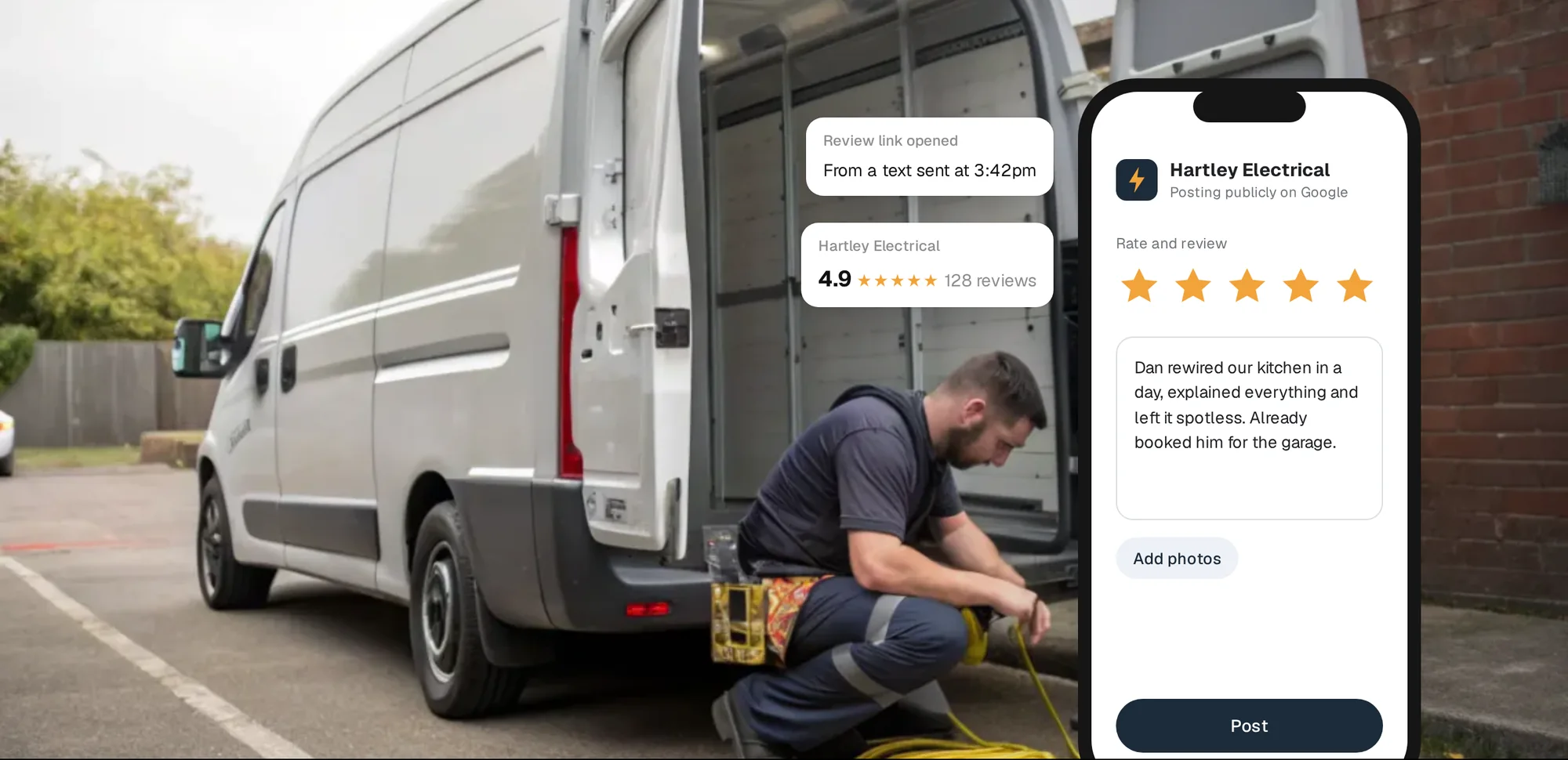
Most happy customers will leave a review if you make it easy and ask at the right moment. Most don't, because nobody asked, or because finding the review box on Google takes four taps they can't be bothered with. Your review link fixes the second problem. This guide fixes the first.
Get your review link in two minutes
Google gives every Business Profile a short link that opens the review box directly, with the stars ready to tap. You get it from your profile while signed in to the Google account that manages it.
- Open your profile on a computer. Search for your business name on Google, or go to your Business Profile from the account that owns it. Google says the review QR code can only be generated in a computer browser, so start on a laptop or desktop.
- Choose Read reviews, then Get more reviews. It sits under the share icon. A small window opens with your link and a QR code.
- Copy the link. Select Copy and paste it somewhere safe, like a note on your phone or your email signature.
- Save the QR code. Right-click the QR code and choose Save image as. Keep the file for printing.
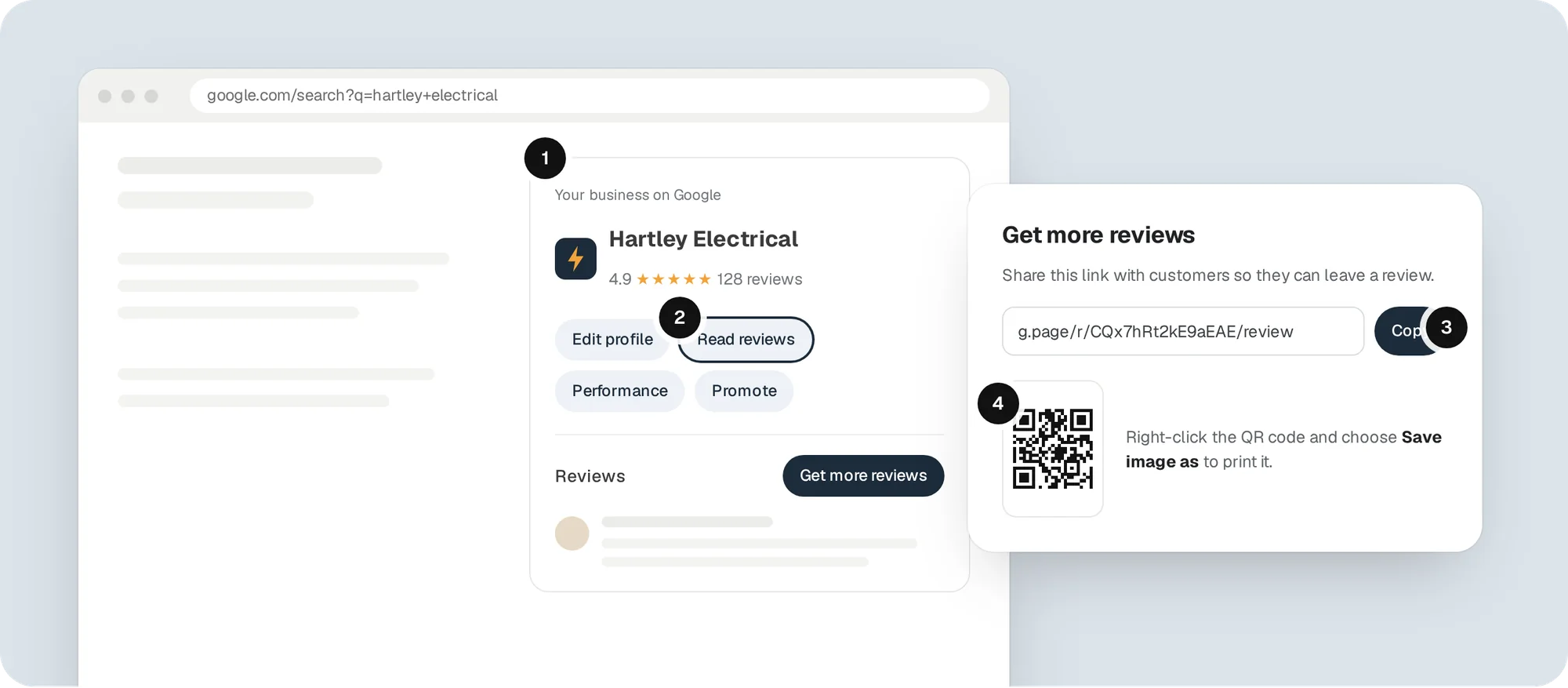 Where to find it. The Get more reviews window gives you the link and the QR code together.
The link usually looks like g.page/r/ followed by a code and /review. Google doesn't promise a format, so copy yours rather than typing one from memory.
Stuck on a phone? The review link and QR code are built for a desktop browser. If you're only on mobile, open Chrome, switch to Request desktop site and go to your profile from there.
Test it before you send it
Open the link in a private browser window and on your phone. You should land on a box that says Rate and review with your business name at the top. If you land on a map, a search page or someone else's business, go back and copy it again. One wrong link on 500 printed cards is an expensive mistake.
When to ask, and how
Timing does more than wording. The best moment is when the customer can see the result: the lights work, the boiler fires, the leak has stopped. A message that lands within a few hours, while they're still pleased, gets far more replies than one sent a fortnight later with the invoice reminder.
Ask in person first, then send the link. Something as simple as "If you're happy with that, would you mind leaving us a quick Google review? I'll text you the link" turns a vague favour into a clear, small task.
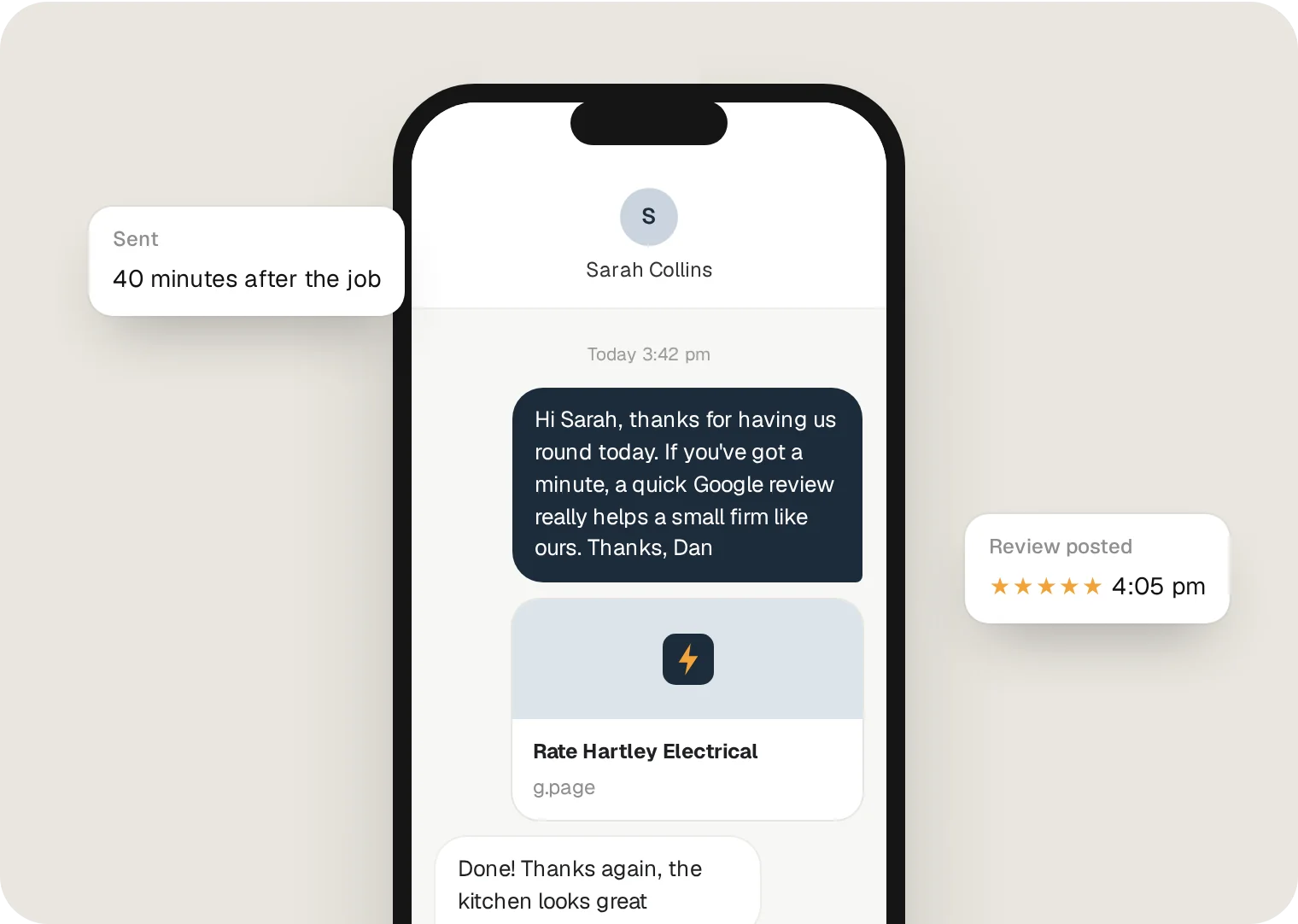 A short, personal text sent the same day. Use their name, mention the job, and keep the link on its own line.
Text messages that work
Keep it short, personal and specific to the job. A few you can copy:
- "Hi Sarah, thanks for having us round today. If you've got a minute, a quick Google review really helps a small firm like ours: [link]. Thanks, Dan, Hartley Electrical"
- "Thanks again for today, Mr Patel. Glad the boiler's back up. If you were happy with the job, we'd be grateful for a review here: [link]"
- "Hi Jo, all done on the consumer unit. Any questions about the certificate, just shout. And if you've a moment, a review helps us loads: [link]"
Send it from your own number if you can. A text from the person who did the job gets read. One from a no-reply system often doesn't.
Put your QR code to work
The QR code is for customers who are standing in front of you, or holding something you gave them. Print it where people already look.
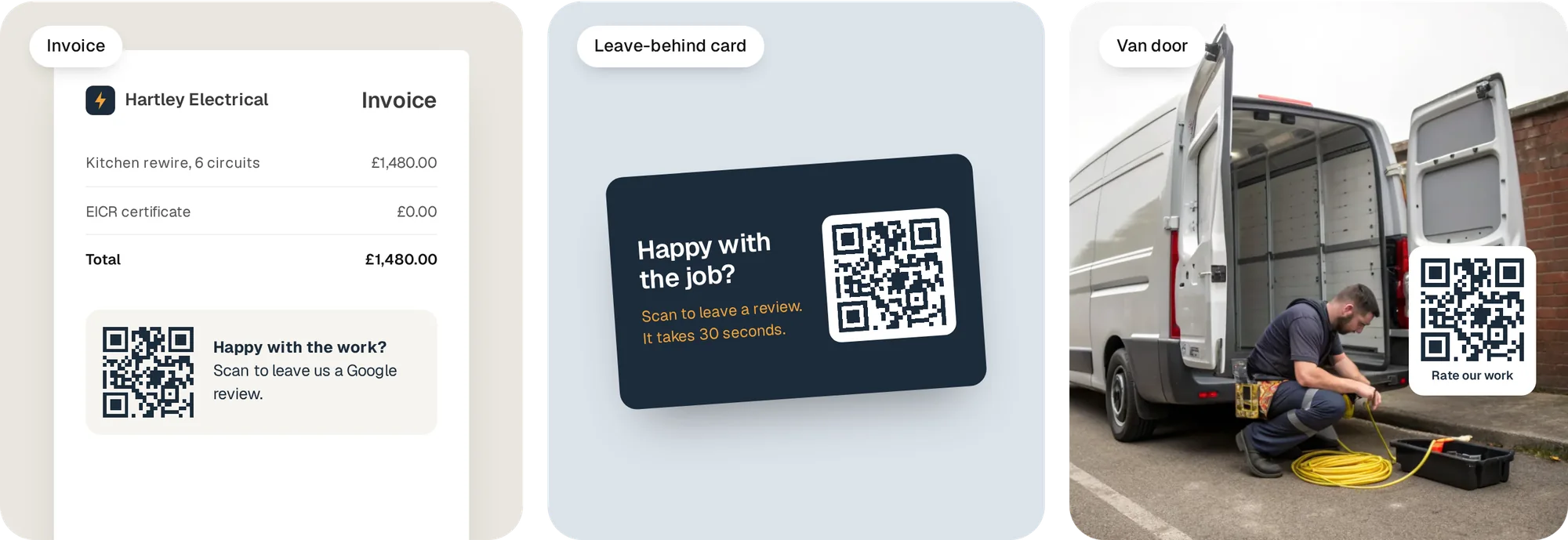 Three places a QR code earns its keep: the invoice, a card left on the side, and the back of the van.
| Where | When it works best | Tip |
|---|---|---|
| Invoices and receipts | Right after payment, when the job is fresh | Add one line: "Happy with the work? Scan to leave a review" |
| Leave-behind card | Jobs where you leave paperwork, like certificates | Put it with the certificate so it gets kept |
| Email signature | Quotes, follow-ups and invoices | Use the link, not the image, so it works on phones |
| Van or shop window | Passers-by and repeat customers | Make it big. Test it from two metres away |
| WhatsApp or Facebook | Customers you already chat with | Send the link with a personal line, never on its own |
The rules you can't break
Google and UK law are both strict about reviews, and the penalties are real.
No incentives. Google bans offering payment, discounts, free goods or services in exchange for a review, or for changing or removing a bad one. That includes "10% off your next job if you leave us five stars" and prize draws for reviewers.
No review gating. You can't only ask happy customers, or send unhappy ones to a private feedback form while sending happy ones to Google. Google's policy says merchants must not "selectively solicit positive reviews". Ask everyone, or ask no one.
No pressure or scripts. Don't stand over customers while they write it, tell them what to say, or set staff targets for reviews that name them.
No fake or bought reviews. Since 6 April 2025, the Digital Markets, Competition and Consumers Act has made fake reviews and concealed incentivised reviews a banned practice in the UK. The CMA can fine businesses up to £300,000 or 10% of worldwide turnover, whichever is higher. Google has also agreed with the CMA to sanction UK businesses that use fake reviews, including warning alerts on their profiles.
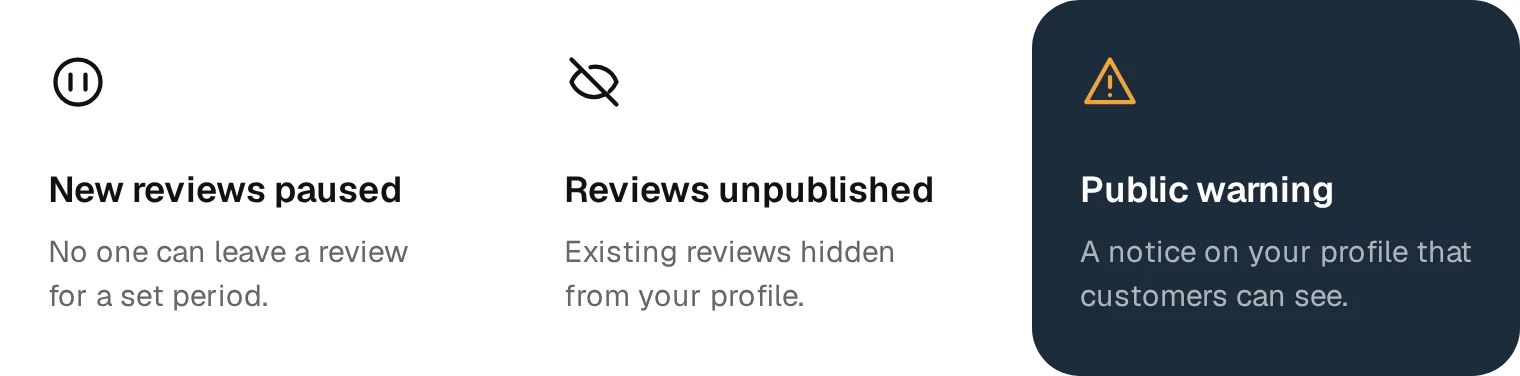 What Google can do when it finds fake engagement on a profile.
If Google catches fake engagement, it can stop your profile getting new reviews for a set period, unpublish existing ones, or put a public warning on your profile. For a trade that lives on its star rating, any of those costs more than a few honest three-star reviews ever will.
Reply to every review
Replies are part of getting more reviews. When people see that you answer, they're more likely to leave one. Thank happy customers by name and mention the job. Answer unhappy ones calmly, once, with a way to put it right offline. If a review breaks Google's rules, you can report it. Our guide to removing a Google review covers what qualifies.
Why this matters more than it used to
Reviews now do two jobs. People read them: BrightLocal's 2026 survey of US consumers found 97% read reviews for local businesses, and 54% go on to visit the business's website after reading positive ones. And AI tools read them too. The same survey found 45% of people now use ChatGPT or similar tools for local recommendations, and those tools lean on review text to decide who to suggest.
That's why your website should show your reviews as well as Google. A customer who reads twenty glowing reviews on Google and clicks through to a site with none loses confidence fast.
Questions people ask
Can I make a Google review QR code on my phone?
Not with Google's own tool. Google says review QR codes can only be generated in a computer browser. You can open your profile in a mobile browser set to desktop site, or use the link with any free QR code maker.
Does my review link ever change?
It normally stays the same while your profile exists. If your profile is removed or merged, get a fresh link and replace it everywhere, including printed material.
Can I ask for reviews in bulk from old customers?
Yes, as long as they were real customers and you ask all of them, not just the happy ones. Send a personal message rather than a blast, and spread them out. A sudden spike can look unusual to Google's systems.
Is it allowed to remind customers who haven't reviewed?
One polite reminder is fine. Repeated chasing starts to feel like pressure, and pressure is against Google's rules.