Thank you for contacting us.We’ll get back to you as soon as possible.

We got it.

Two hands forming a heart shape. Black cuffs, simple line art, with a small swirl.

Multiple blog layouts plus more


By Callum Wells November 11, 2025

Big blog news. Use different layouts for different content types all within the same blog. Your news updates look different from your case studies. Your portfolio pieces look different from your SEO articles. One blog unlimited layouts.

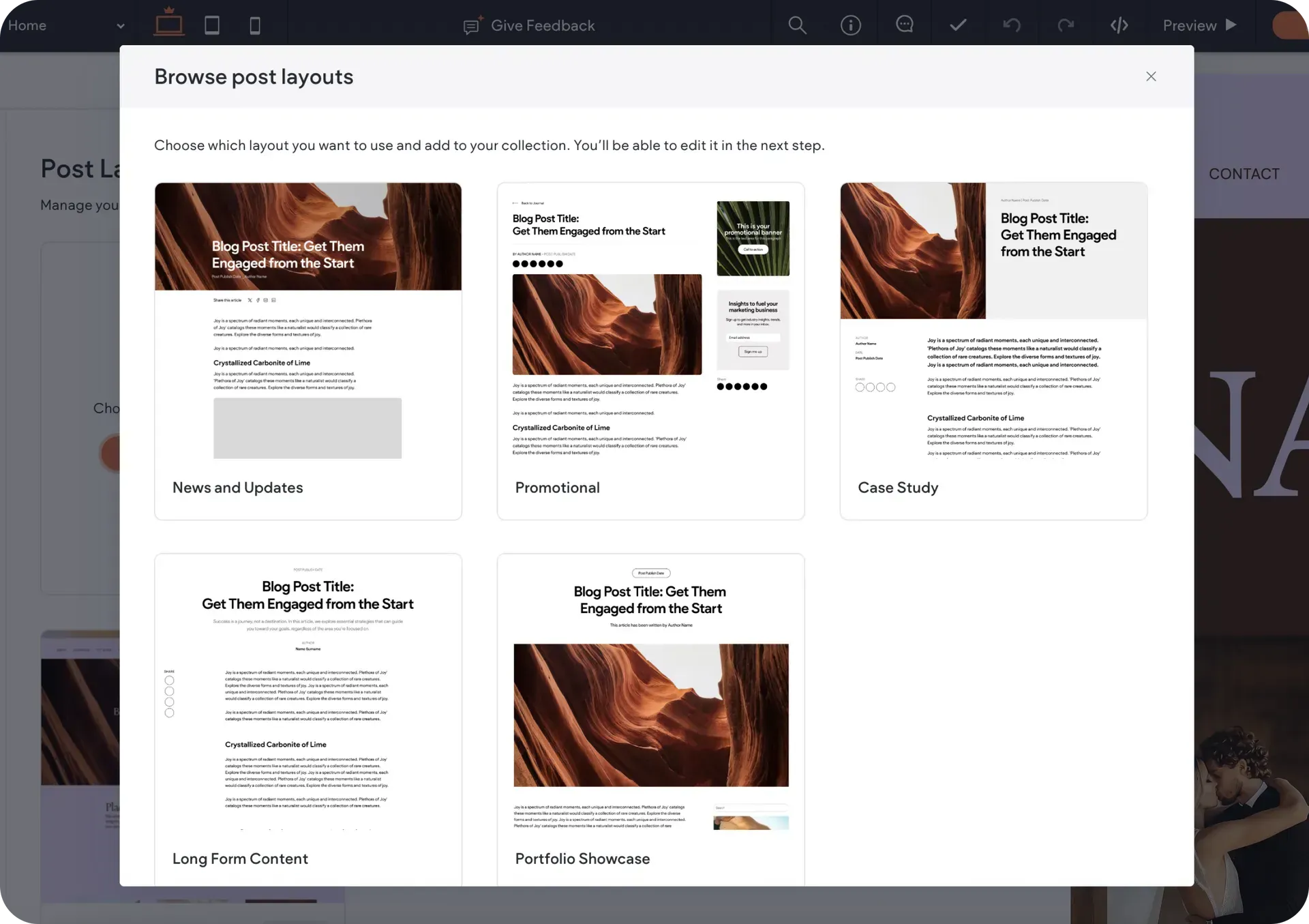
Use Multiple Post Layouts Within The Same Blog

Now you can use different layouts for different types of content within the same blog. Whether it's news updates, case studies, SEO articles, or portfolio pieces - each post can have its own perfect design.


With the new Post Layouts, you can add any layout you want, customize it, and save. Then go to any post's settings and pick a layout from the layout dropdown.


This update gives you extra flexibility and customisation power:


  • Use readable layouts for long SEO articles
  • Pick visual layouts for portfolios and galleries
  • Choose clean formats for company news


No more juggling separate blogs for different content types. Find it under Blog → Post Layouts.

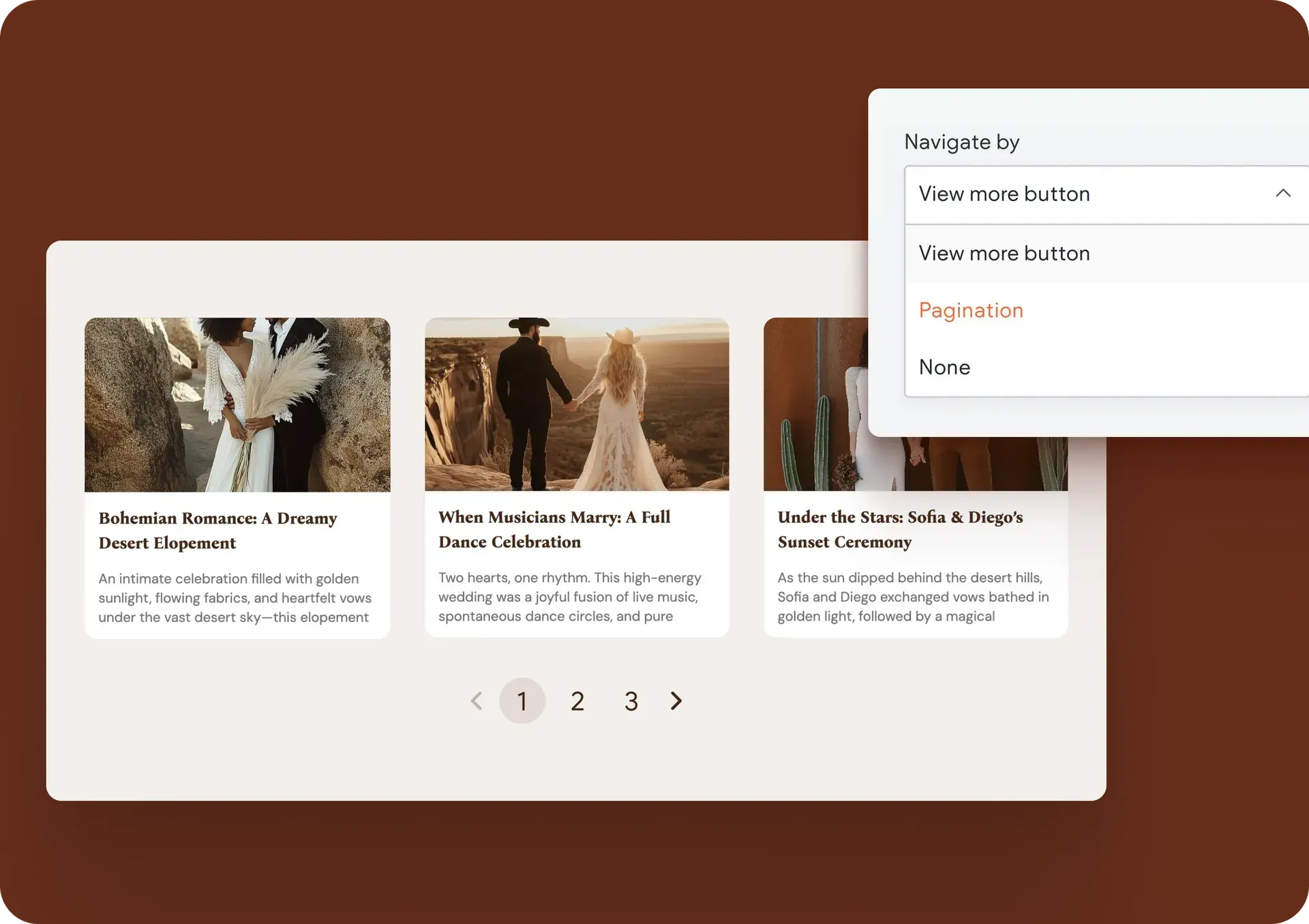
Better Pagination Controls In The All Posts Widget

The All Posts widget now lets you choose how visitors see more content:


  • Show More button
  • Pagination with custom controls
  • Not show any additional posts


This gives you lots of control over how the blog posts appear on your client’s sites and greatly improves the user experience of their site visitors.

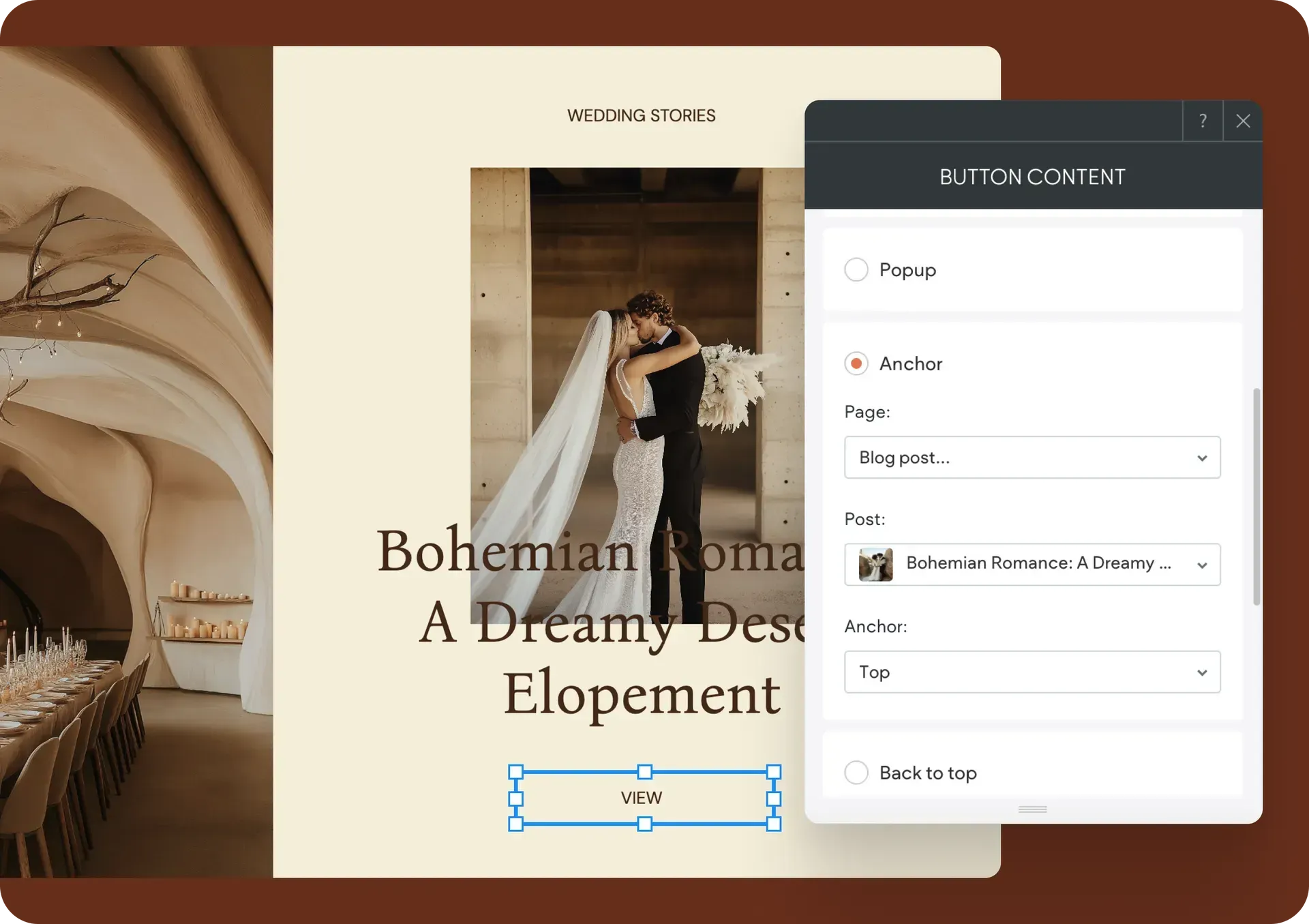
Link To The Exact Paragraph You Want With Blog Anchors

You can now link any element directly to anchors within blog posts. 


To do this, go to any link picker → Anchor → Page and scroll down until you see the new Blog post option. Pick your post and anchor from the dropdown menus, or link to the top or bottom of posts by default.


Note: Media Slider and Accordion widgets don't support this yet.

We hope you make the most of these new blog updates, and enjoy the additional blog content customisation power they give you.

Consider yourself
limitless.

If you can describe it, you can build it.


Stay in the loop with Avago updates

Sign up to get feature releases, tools, and more to your inbox.

Enter an email Use an address with (@) and (.)
Damaged pipe with leaks and burst section, smoke emitting from the openings.

That didn’t work.

The form wasn’t sent. Please try again.

SHARE THIS

MORE UPDATES

Woman sitting outdoors with laptop, smiling, text:
By Callum Wells November 14, 2025
What’s Printify? 
By Callum Wells November 11, 2025
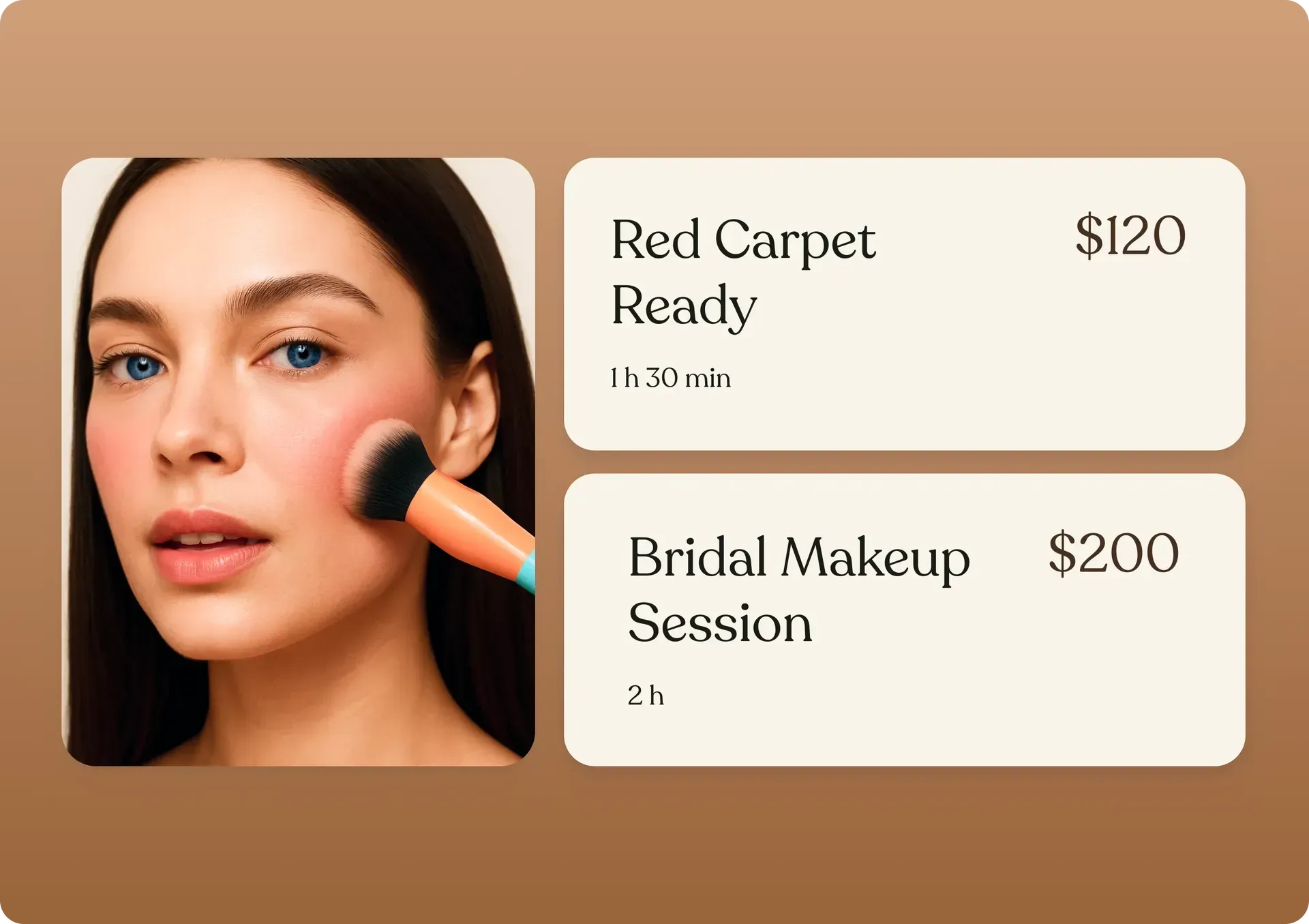
You can now start charging and getting paid for appointments using Bookings. We’ve also added the option to add more than one staff member, to boost your scheduling operation.
A website interface with a
By Callum Wells November 11, 2025
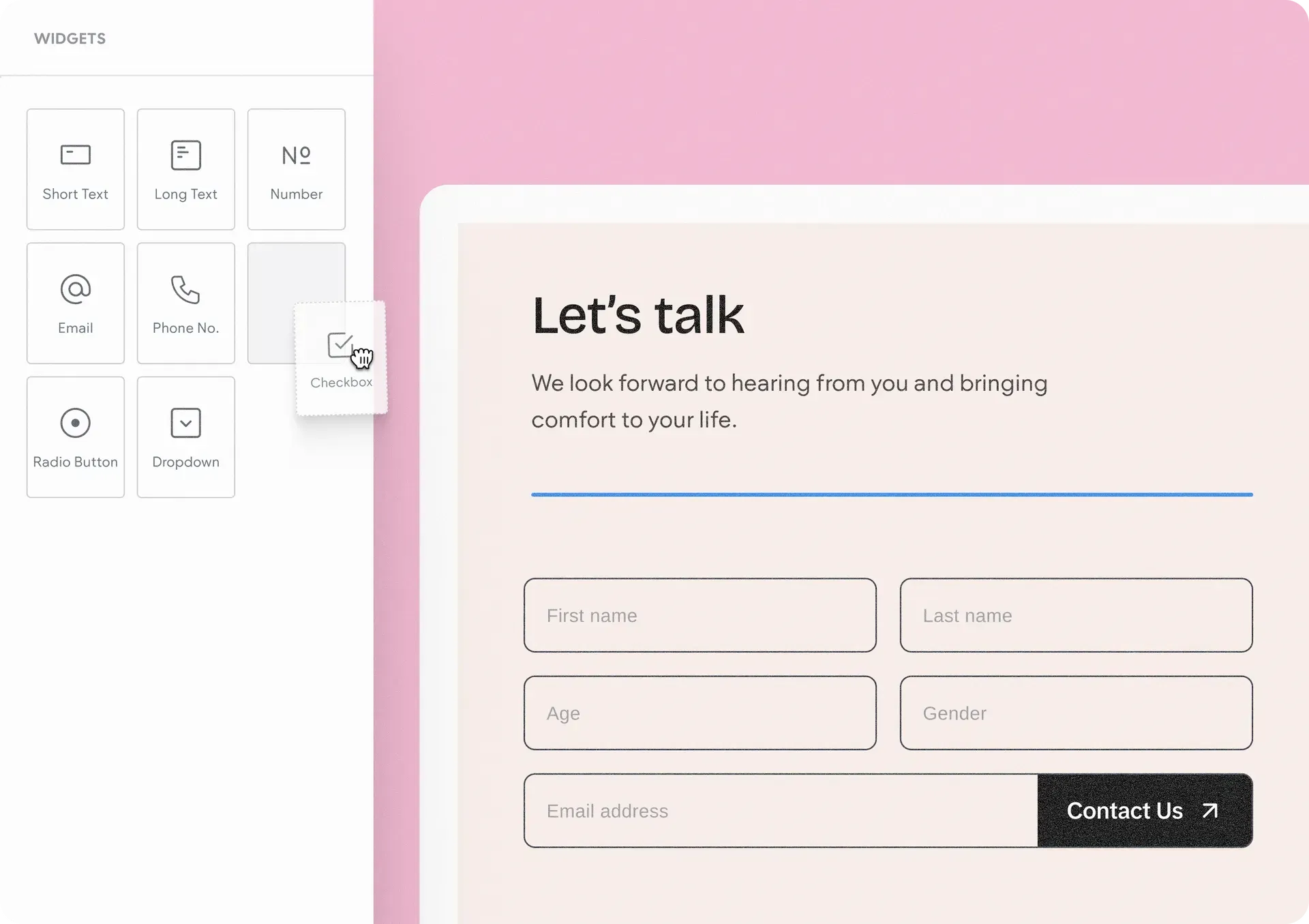
Meet the Advanced Form. Complete design freedom. No workarounds. No third-party tools. Just build exactly the forms you want.