Thank you for contacting us.We’ll get back to you as soon as possible.

We got it.

Two hands forming a heart shape. Black cuffs, simple line art, with a small swirl.

Bookings: Get Paid for Appointments & Add Entire Team


By Callum Wells November 11, 2025

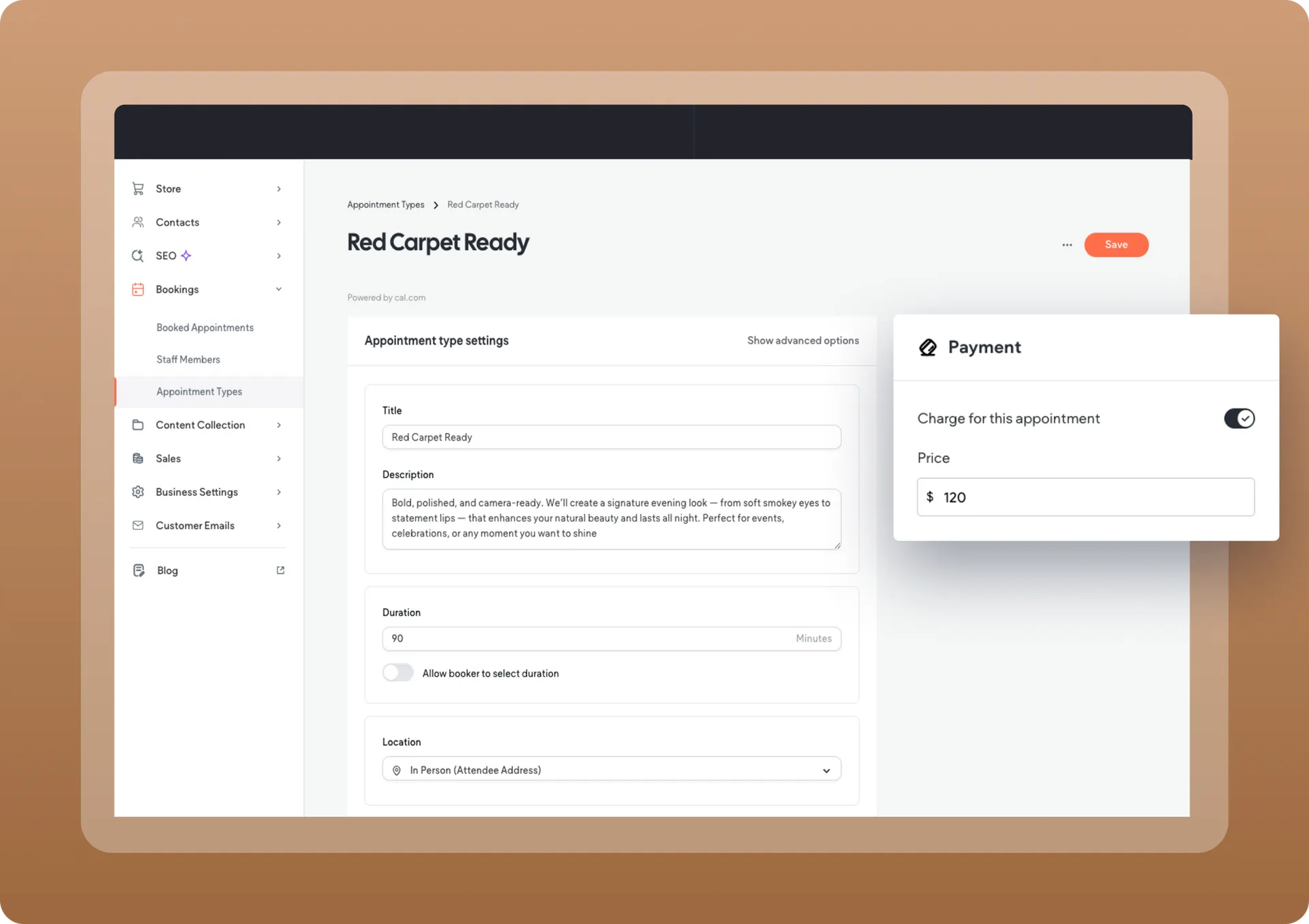
You can now start charging and getting paid for appointments using Bookings. We’ve also added the option to add more than one staff member, to boost your scheduling operation.

Paid appointments are here

Your clients can now charge for appointments upfront, right from their site. Whether they run a beauty salon, a fitness centre or any other service, paid bookings create automated revenue 24/7, so no manual follow-ups or lead chasing is required here.

Booked paid appointments are easy to manage, cancel or refund if needed, all right within the site dashboard. Keep in mind you’ll need to set up taxes and connect a payment gateway to your site in order to charge and accept payments for appointments. This feature offers a wide range of payment gateways to choose from, including Stripe, Square, Mollie, PayPal, and others.

Add and manage multiple staff members

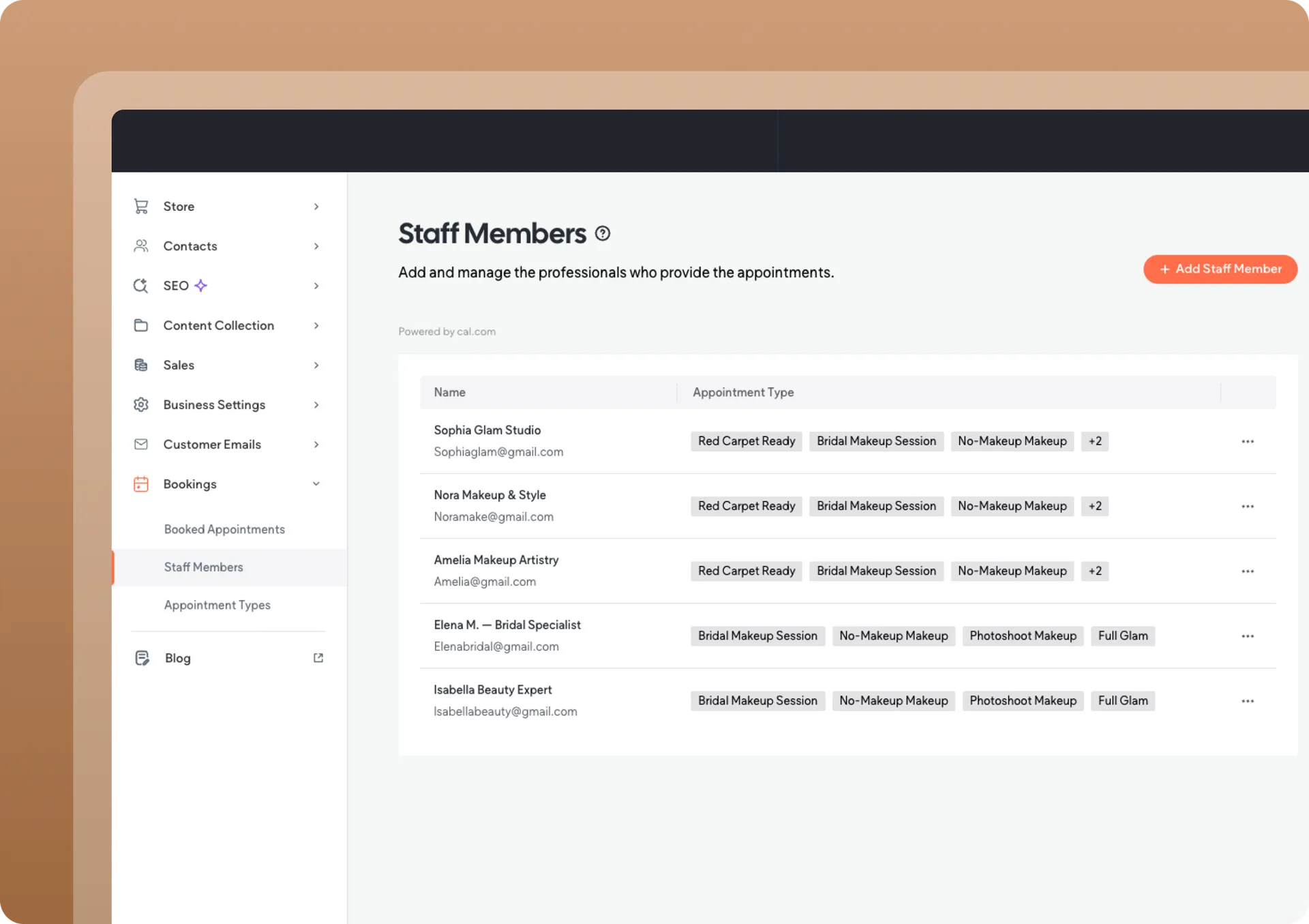
Another cool update we’ve added to Bookings is the option to expand the team of professionals delivering appointments, helping even more businesses leverage this fully integrated booking solution. Depending on your site subscription, you can add up to 10 staff members per site.

Easy site & permissions management

Staff members you add get automatic site access with booking-specific permissions. In addition, those clients can then add other people as additional staff members delivering appointments. And if you’re an agency setting up bookings for a client, you can still use all the Client Management features when setting this up.

Let visitors choose from multiple services when making a booking

The Booking widget now supports multiple appointment types. This means that a beauty salon, for example, can offer manicure, pedicure, and facial appointments all shown through the same Booking widget on the site. Visitors choose their desired service, pick a date and time, and if you're charging them upfront - they continue straight to checkout.

Add paid bookings to your site today.

Consider yourself
limitless.

If you can describe it, you can build it.


Stay in the loop with Avago updates

Sign up to get feature releases, tools, and more to your inbox.

Enter an email Use an address with (@) and (.)
Damaged pipe with leaks and burst section, smoke emitting from the openings.

That didn’t work.

The form wasn’t sent. Please try again.

SHARE THIS

MORE UPDATES

Woman sitting outdoors with laptop, smiling, text:
By Callum Wells November 14, 2025
What’s Printify? 
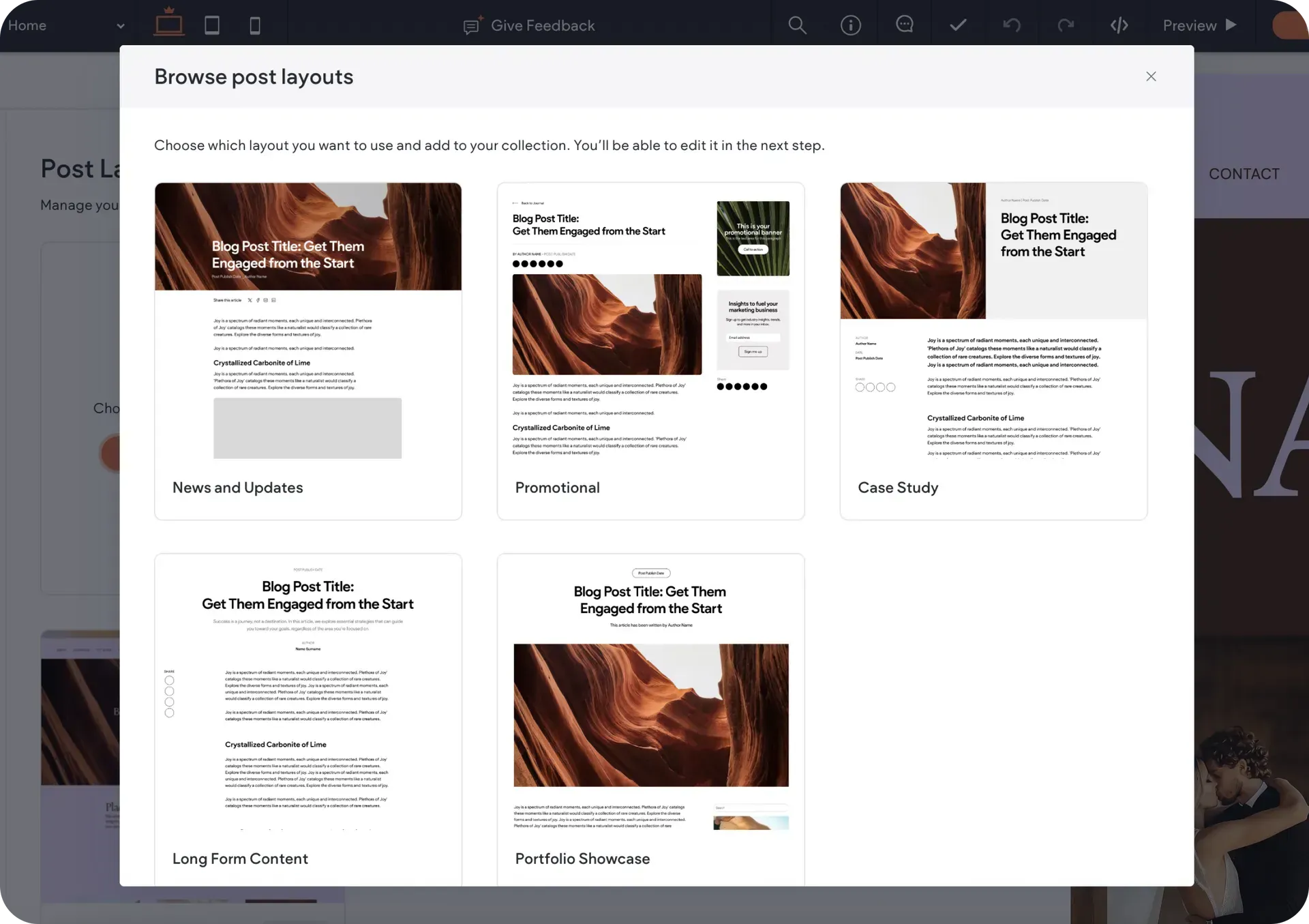
Screenshot of a website with multiple blog post layouts displayed in a pop-up window.
By Callum Wells November 11, 2025
Big blog news. Use different layouts for different content types all within the same blog. Your news updates look different from your case studies. Your portfolio pieces look different from your SEO articles. One blog unlimited layouts.
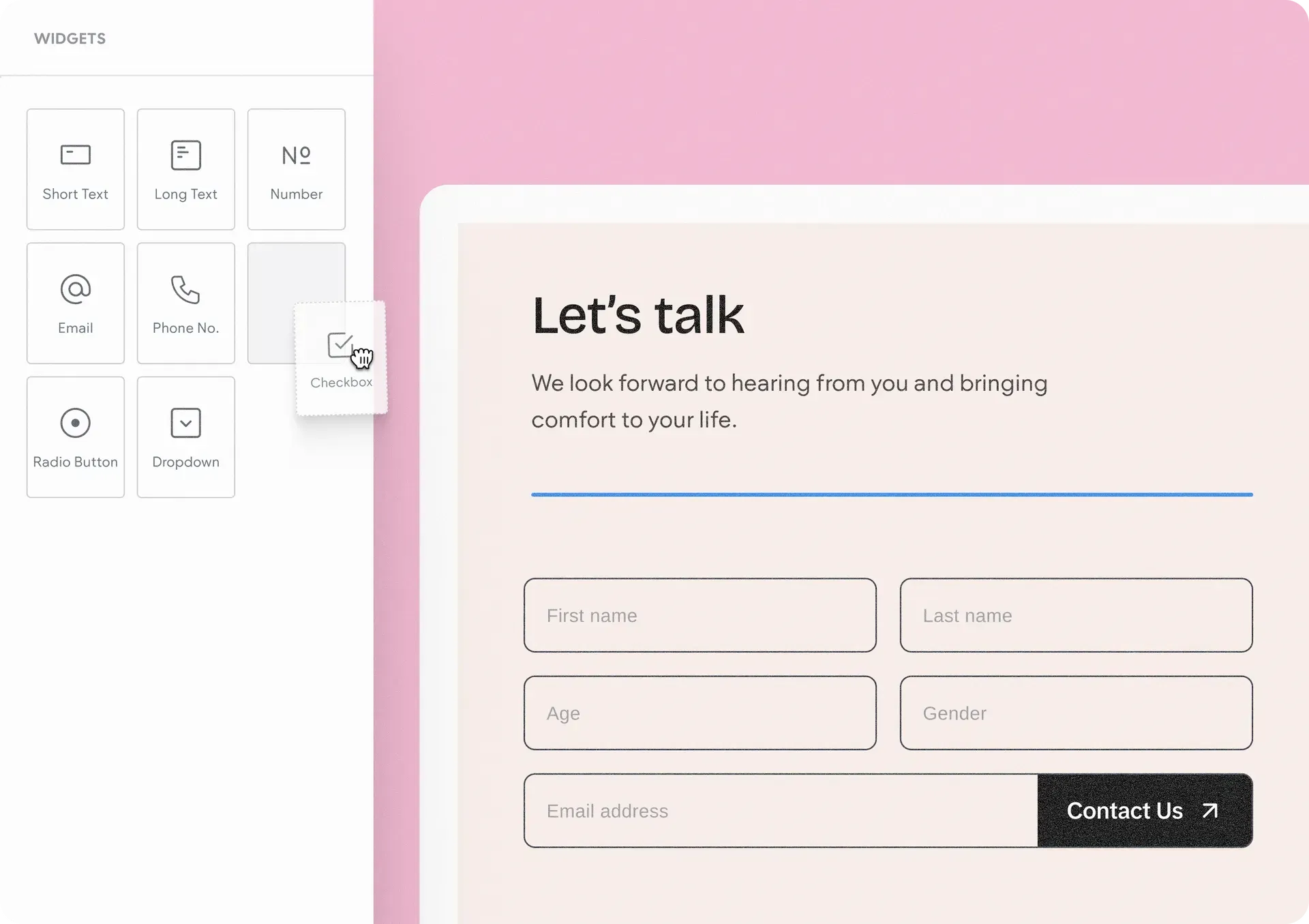
A website interface with a
By Callum Wells November 11, 2025
Meet the Advanced Form. Complete design freedom. No workarounds. No third-party tools. Just build exactly the forms you want.